 Director
THE DIRECTOR FIELD GUIDE 06
Activity & settings
A small record of what changed, and a few controls for keeping Director in step with your setup.
Recent Activity
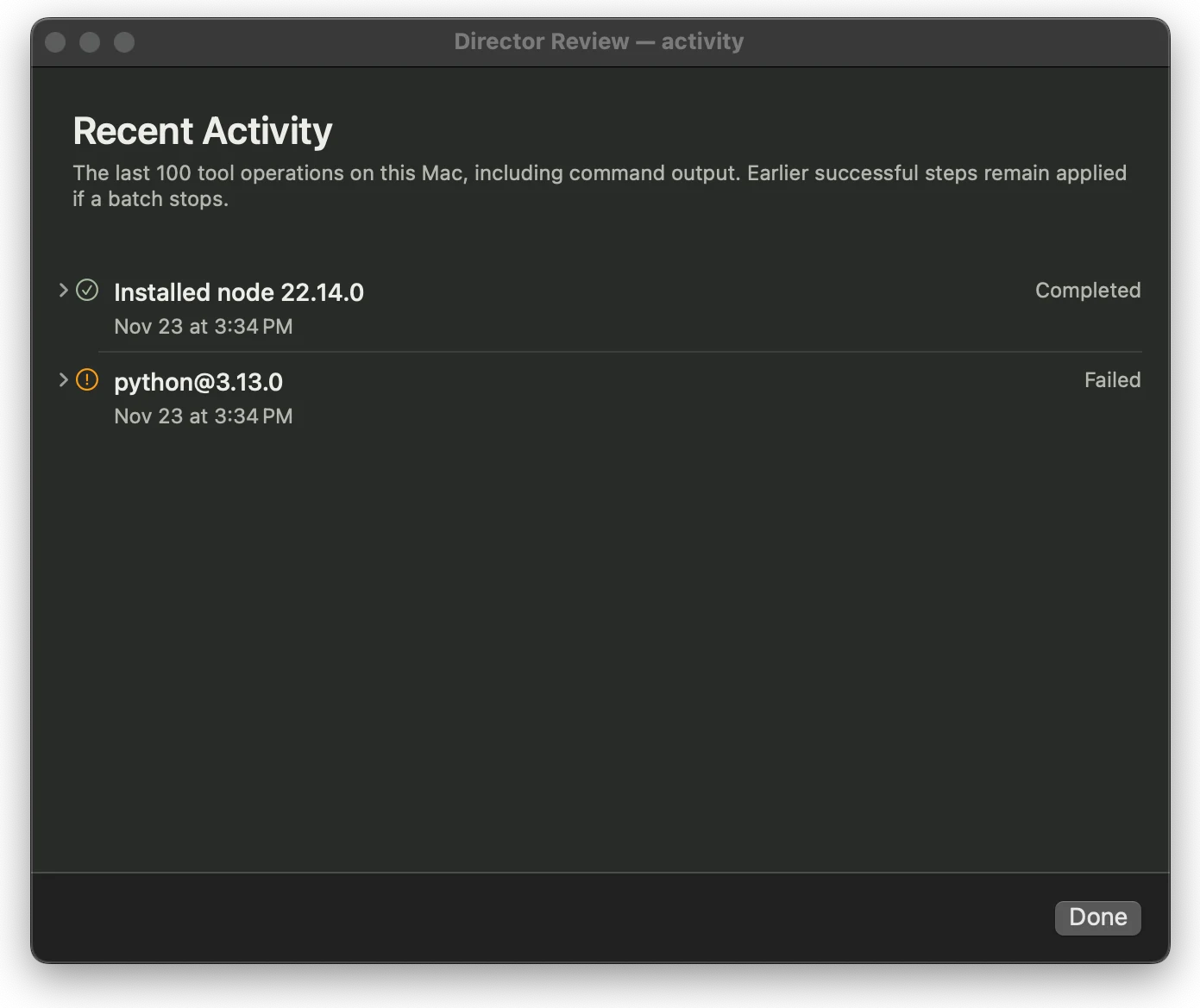
Open Maintenance → Recent Activity…. Director keeps the latest 100 tool operations locally, including installs, removals, global changes, and their failures.
Expand an entry to see the command and its captured output. Output is limited to the last 32,000 characters per operation. Command output can be selected and copied.
The history is a local convenience, not a complete audit of mise. Commands run outside Director are not recorded. Refreshes and release checks are not tool-mutation entries.
If a batch stops, earlier successful changes remain applied. Its entries show how far it got.
Automatic refresh
Open Director → Settings…, or press ⌘,. Automatic refresh watches known global configuration, tracked project directories, and mise’s tracked-config registry.
Changes are briefly combined before a refresh. Director uses filesystem notifications rather than periodic polling. You can turn this off and refresh manually with ⌘R.
Choose your mise executable
Director normally checks these locations:
/opt/homebrew/bin/mise/usr/local/bin/mise~/.local/bin/mise/usr/bin/mise
Use Choose Executable… if mise lives elsewhere. Director validates the selected executable before saving it. Reset to Automatic returns to default detection.
The executable runs directly, without a shell. Director does not read your shell startup files to find an alternative executable or modify shell activation.
Revisit the introduction
Use Help → Getting Started… to reopen the welcome and connection flow. Director Documentation in the same menu opens this field guide.
The library introduction can be dismissed independently. Reopening Getting Started does not reset that preference.