 Director
THE DIRECTOR FIELD GUIDE 03
Projects & missing tools
See the local context around a tool, without moving or rewriting your projects.
In this guide
How projects are detected
Director reads mise’s tracked configuration history using mise ls --all-sources --json. It does not scan your disk or ask you to import folders.
A project generally appears after you have used mise with its configuration. Director groups its resolved tool versions by the folder containing that configuration. Home, global, and system defaults are kept out of project rows.
The list reflects what mise has tracked, rather than every project or inherited runtime context on your Mac. Multiple tracked configuration files in the same folder can contribute to one project row.
Explore a project
Expand a tool in the library to see its detected projects. Open Projects in the toolbar for a folder-oriented list. You can open a folder in Finder, copy its path, or reveal its configuration files.
An unavailable folder remains visible with an explanation. Reconnect an external drive or restore the folder before trying project operations.
Install missing releases
A tracked configuration can request a release that is not installed on this Mac. In Projects, choose Install Missing. A project row’s action menu also offers Install Missing Versions… when applicable.
The review shows the resolved releases that are missing. Nothing is selected automatically. Select the releases you need, then choose Install Selected.
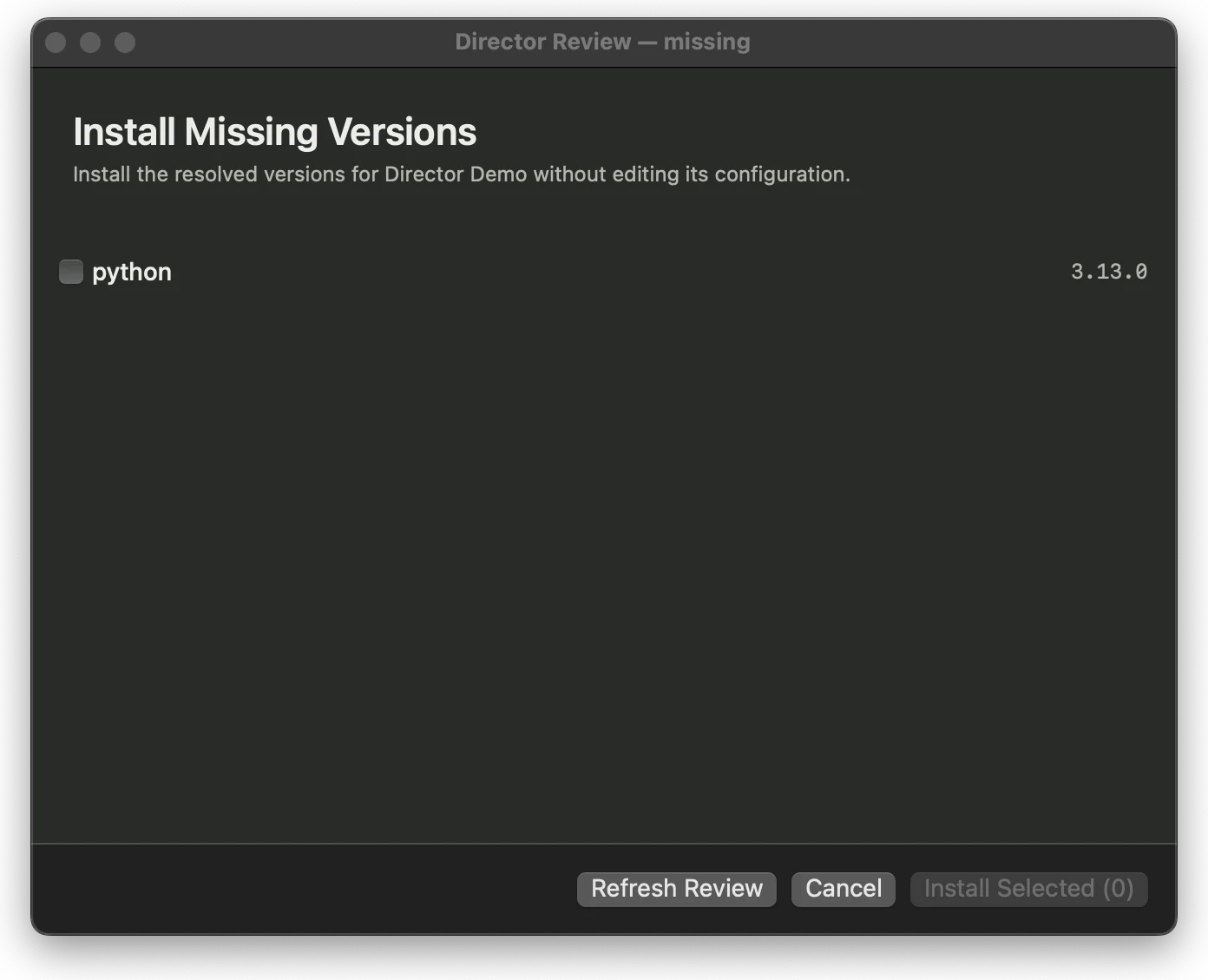
Director rechecks the project state before running the installations. It installs the exact releases shown and leaves the project’s configuration unchanged. This action reviews missing tools for the project, even when opened from one tool’s child row.
When a project is missing
Use mise from the project in Terminal and refresh Director with ⌘R. If it still does not appear, check that it has a supported mise configuration and that the selected mise executable is the one you normally use.
To change a project request, edit the project configuration using your usual workflow. Director will pick up changes when automatic refresh is enabled.