 Director
THE DIRECTOR FIELD GUIDE 05
Removing & cleaning up
Make room with context. Review known usage before a release leaves your Mac.
Remove one release
Open a tool’s version management and choose the removal action beside an installed release. Director refreshes usage and shows an impact review before uninstalling.
The review lists detected projects using that exact version and warns if a global default uses it.
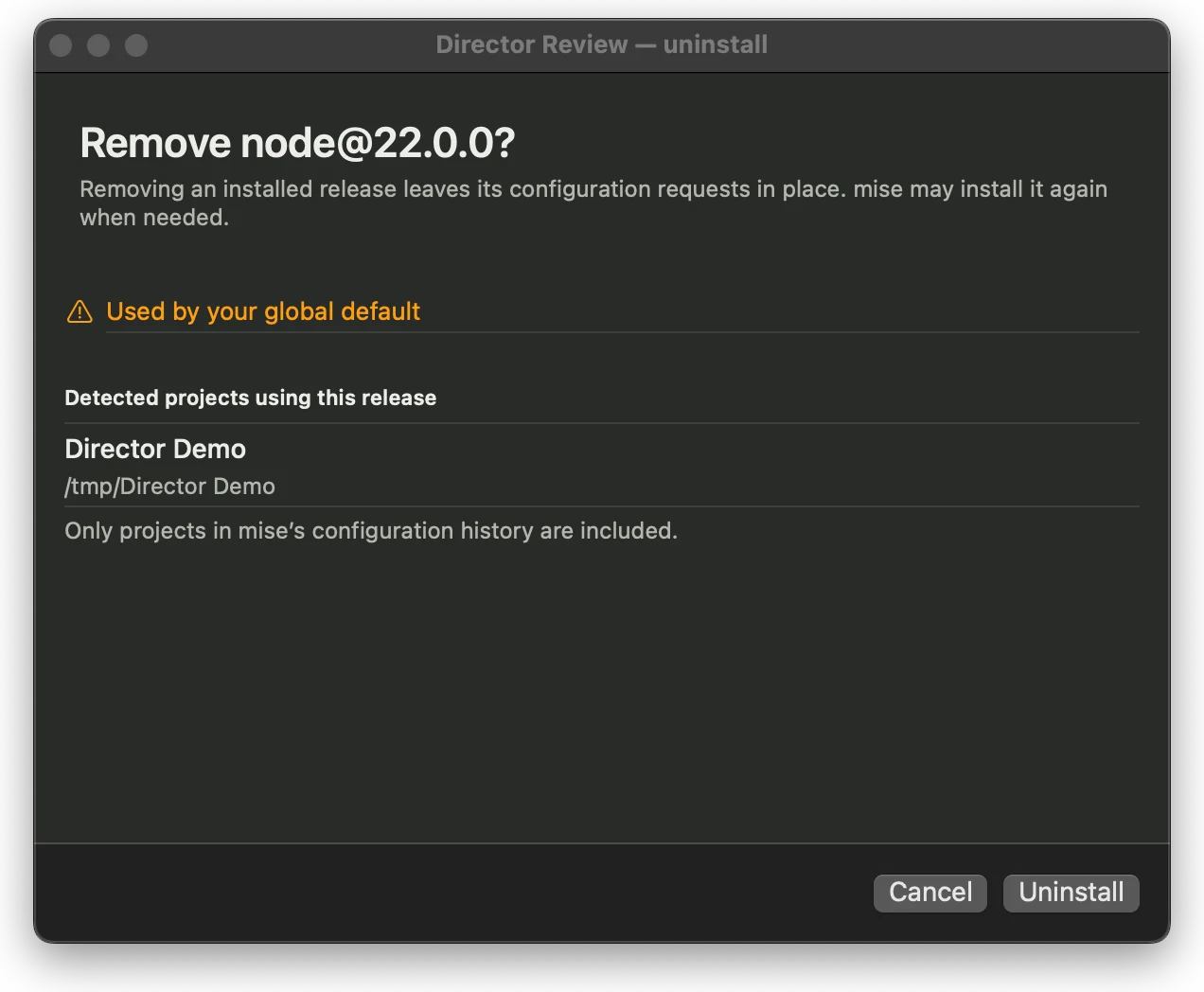
Removing an installed release leaves its configuration requests in place. mise may install it again when needed. Read the project list and global warning before choosing Uninstall.
Review cleanup candidates
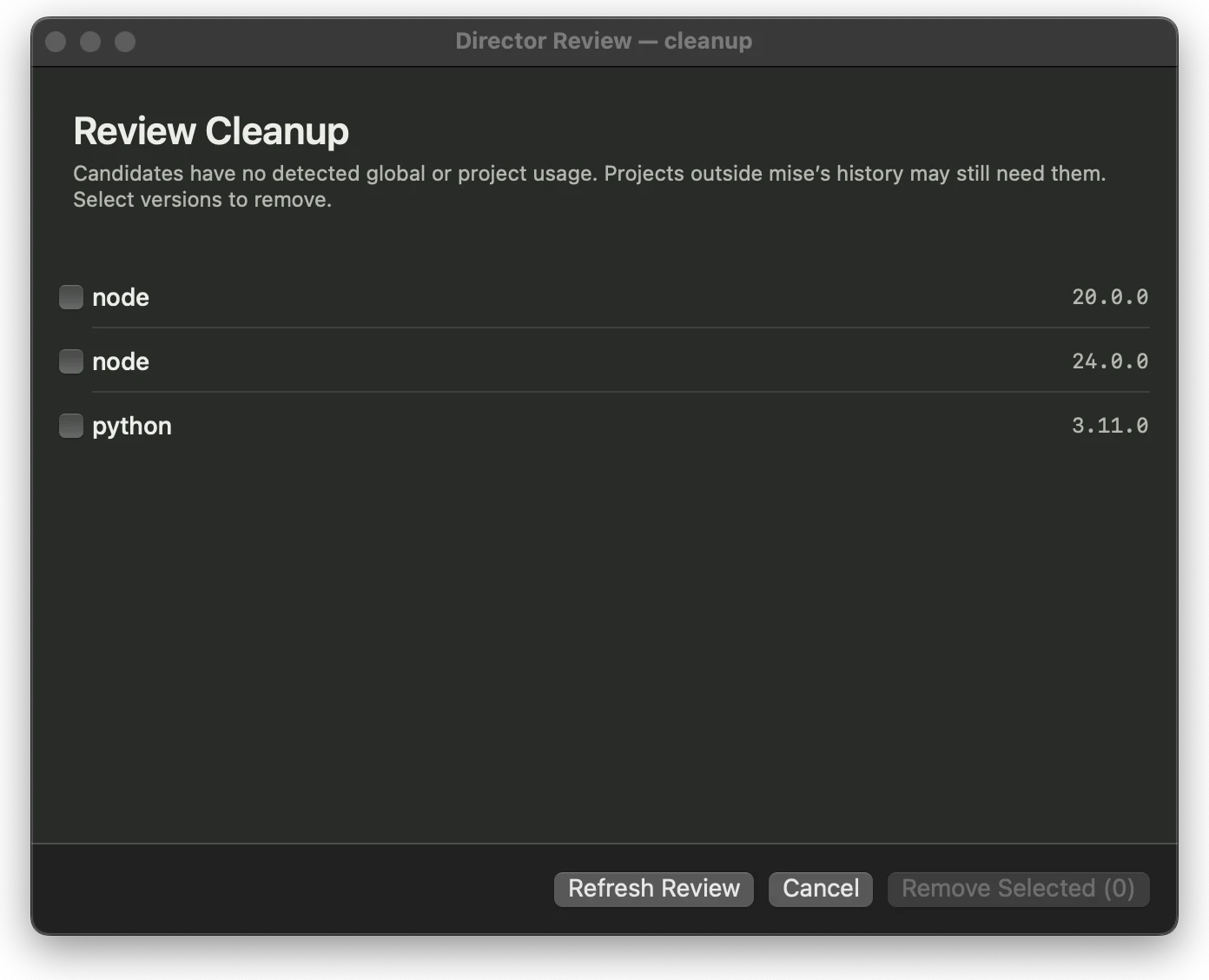
Open Maintenance → Review Cleanup…. Candidates are installed releases with no detected global or project usage in the current snapshot.
Select individual versions to remove. Nothing starts selected. Director refreshes usage again before running the selected removals. If a candidate is now in use, the review is rejected so you can examine a fresh list.
Understand the limits
No detected usage does not guarantee that a release is unused everywhere. Projects outside mise’s tracked history, scripts, or other workflows may still need it.
Director does not run a blanket mise prune. It uninstalls only the explicit releases you select after the review. Cleanup is unavailable while a detected project folder is unavailable, or when the snapshot cannot be refreshed successfully.
If you are unsure, leave a version installed. You can return to cleanup later.
If a removal fails
Batches stop at the first failure. Earlier removals remain applied; there is no automatic rollback. Open Maintenance → Recent Activity… for the result and captured command output, then refresh the review before trying again.